1
Uninstall in Thread Admin
In Thread Admin, find the company that is linked to the Teams App that you would like to uninstall and click on Uninstall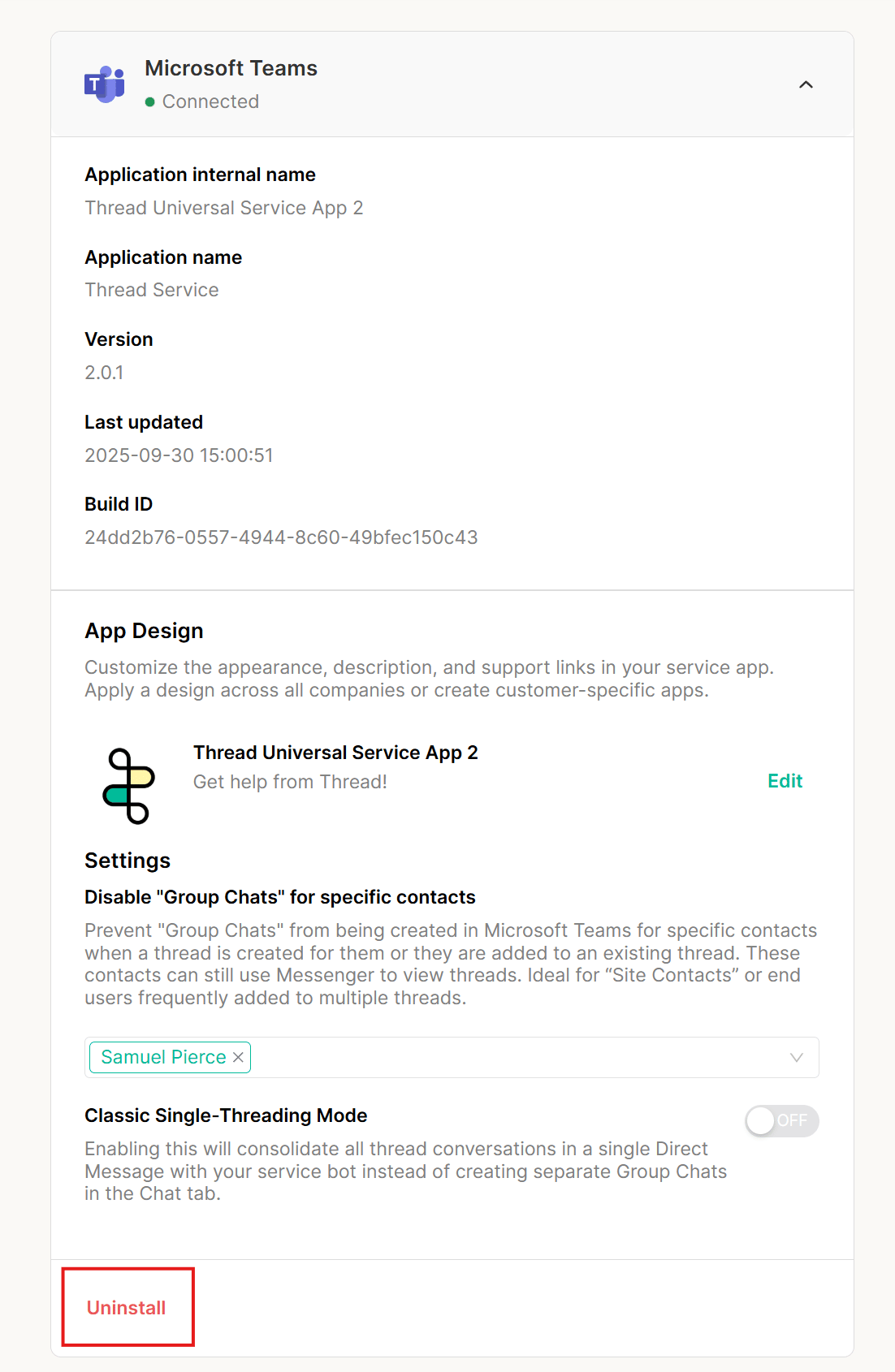
2
Open Manage Apps in the Teams Admin Portal
Navigate to the Microsoft Teams Admin Portal and click Teams Apps -> Manage Apps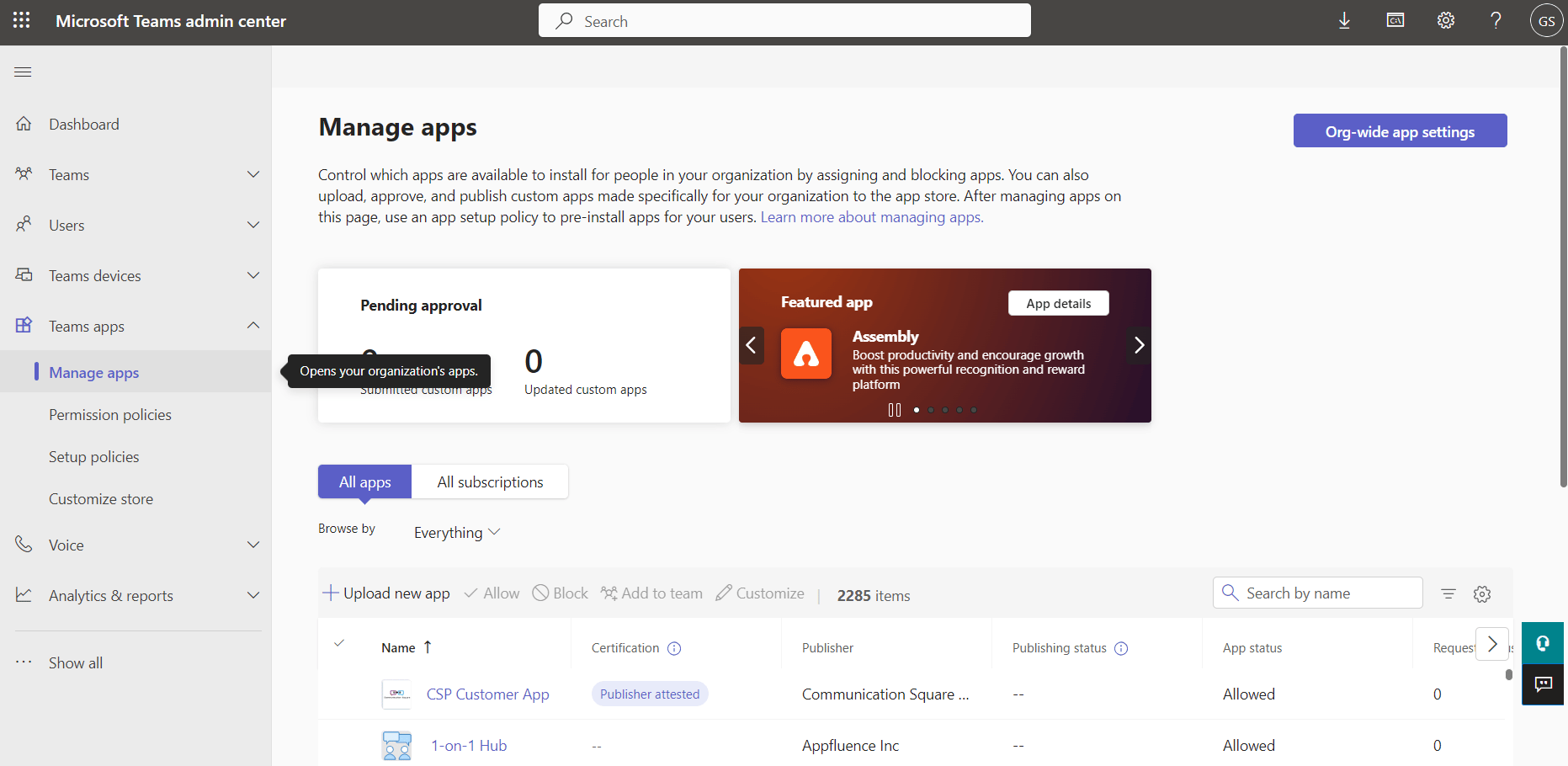
3
Search for the Service App
Search for the name of the Service App in the search bar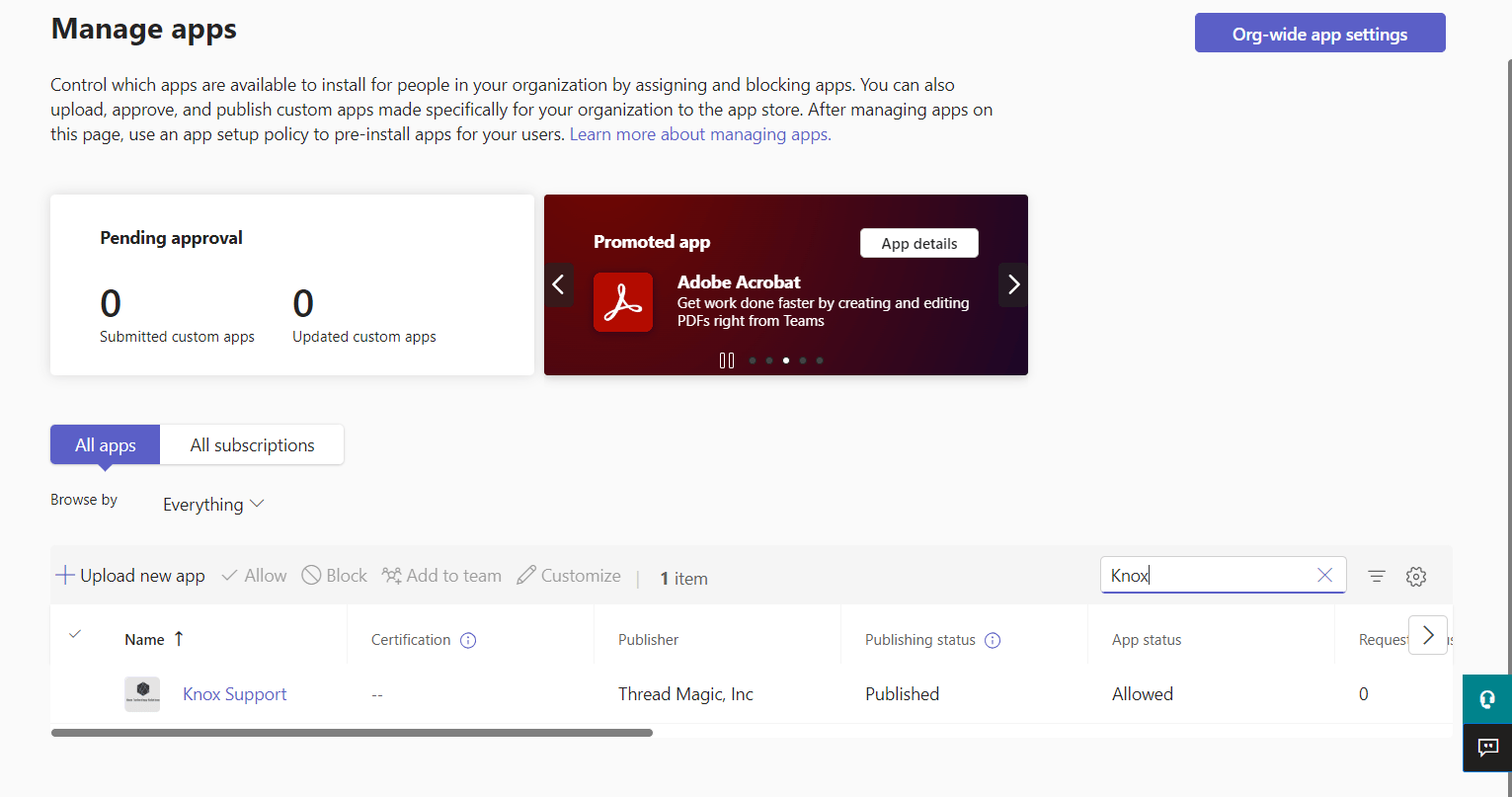
4
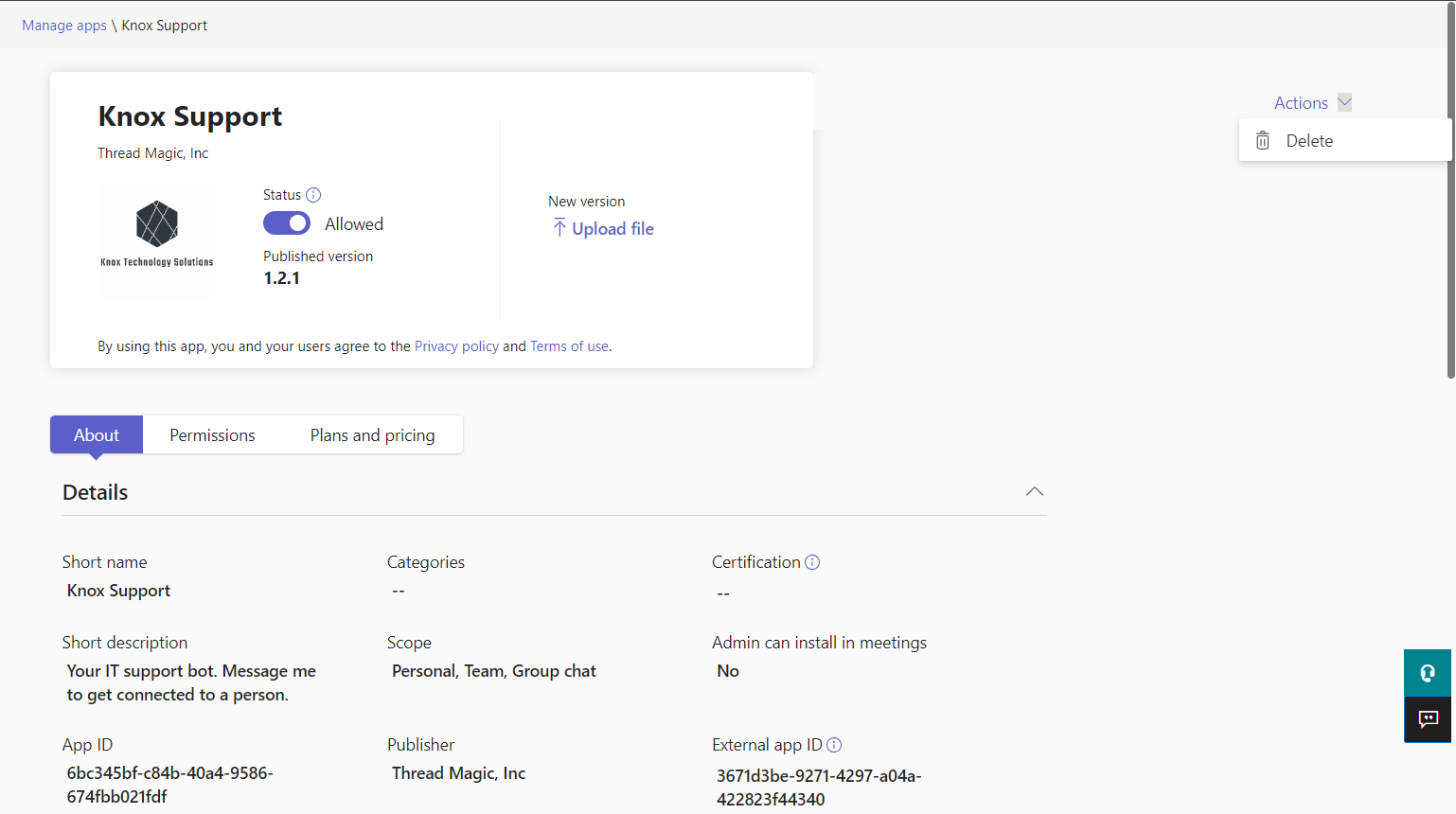
Delete the app
Click on the app and then on the right side of the screen click “Actions” -> “Delete”