

How does it work?
An avatar will be added if you- Upload an avatar to inbox or messenger manually
- Sync Members from the Microsoft Integrations page when the member with the same email address has an already set avatar in Teams
- Have an already set avatar in Slack when the daily Slack sync job runs.
How to Set an Avatar
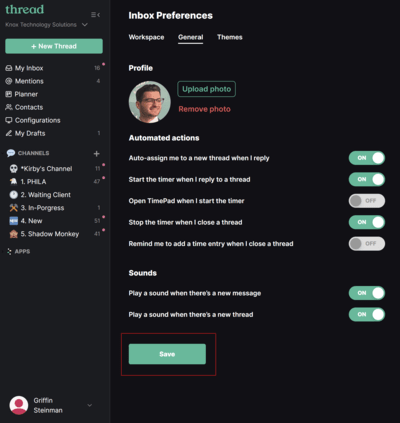
- Inbox
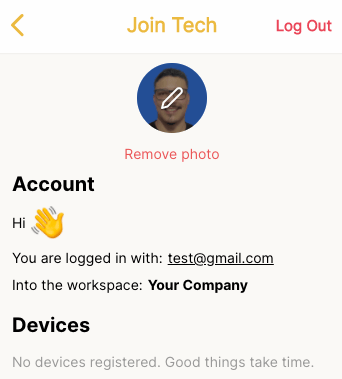
- Messenger
- Go to Click on your name on left sidebar > Preferences > General and update your Avatar.
Syncs
These are the following scenarios where we sync Avatars from members and contacts:- Admin → Integrations → M365 → Sync users