
Members

The members tab shows all of the members synced from your PSA
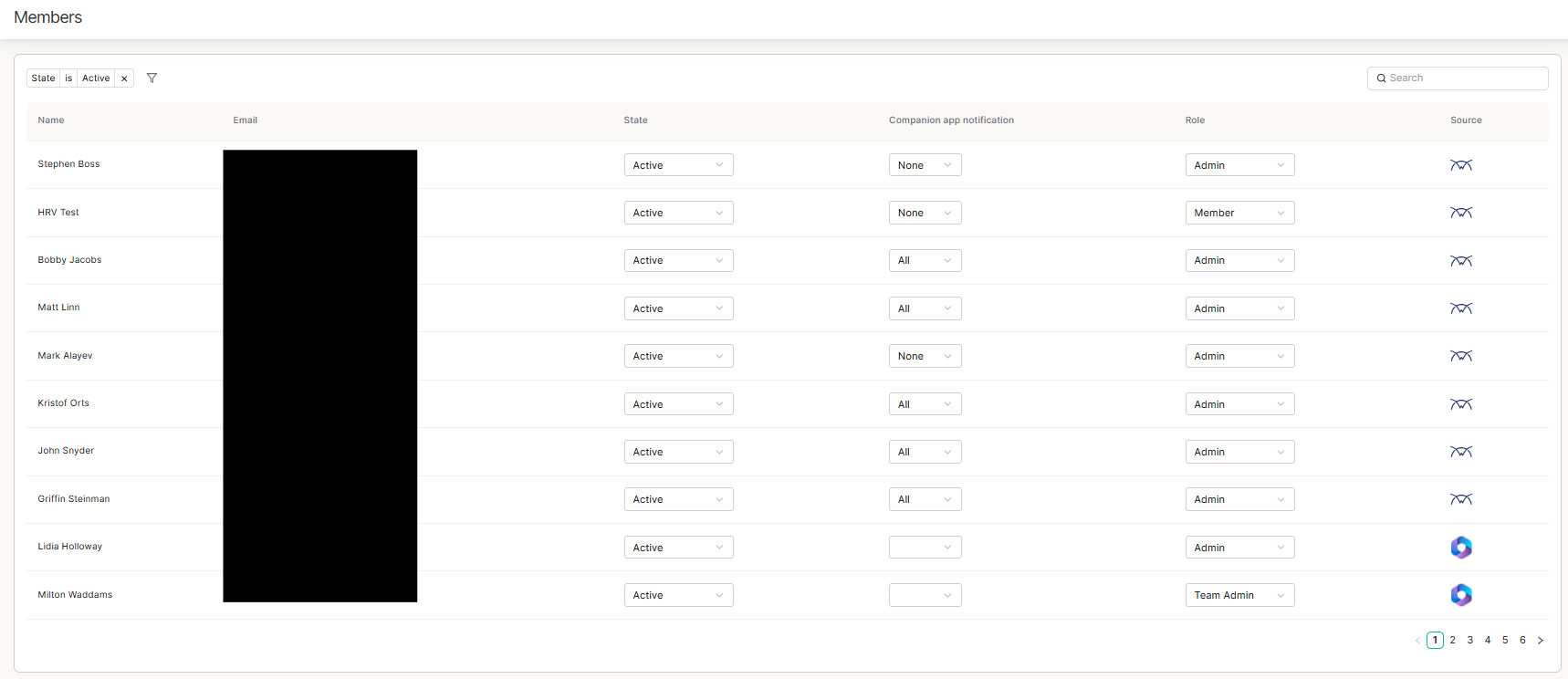
Members tab showing PSA-synced members in Thread
These members can be in 3 different states: Active - These are the members that will have access to thread and have active accounts Pending - These are members that are typically newly synced members and have not yet been set to active Deleted - These are members that you have deleted Each member also has 3 role options: Admin - Workspace admins are able to access the admin panel and inbox Team Admin - Full details here - https://docs.getthread.com/inbox/team-admin-role Member - Workspace members are only able to access inbox Notifications: You are also able to change each members notification settings here. For more info on that, please see this doc

Auto-Add Members

By default, thread syncs new members added to the PSA every 24 hours (sync occurs at 3 AM EST). If you have this toggle enabled, all new members that are synced will automatically be set to the ACTIVE state. If you have this toggle disabled, all new members will automatically be set to the PENDING state. This setting is located in the Integrations tab in the admin panel. Go to Integrations -> PSA -> PSA Sync
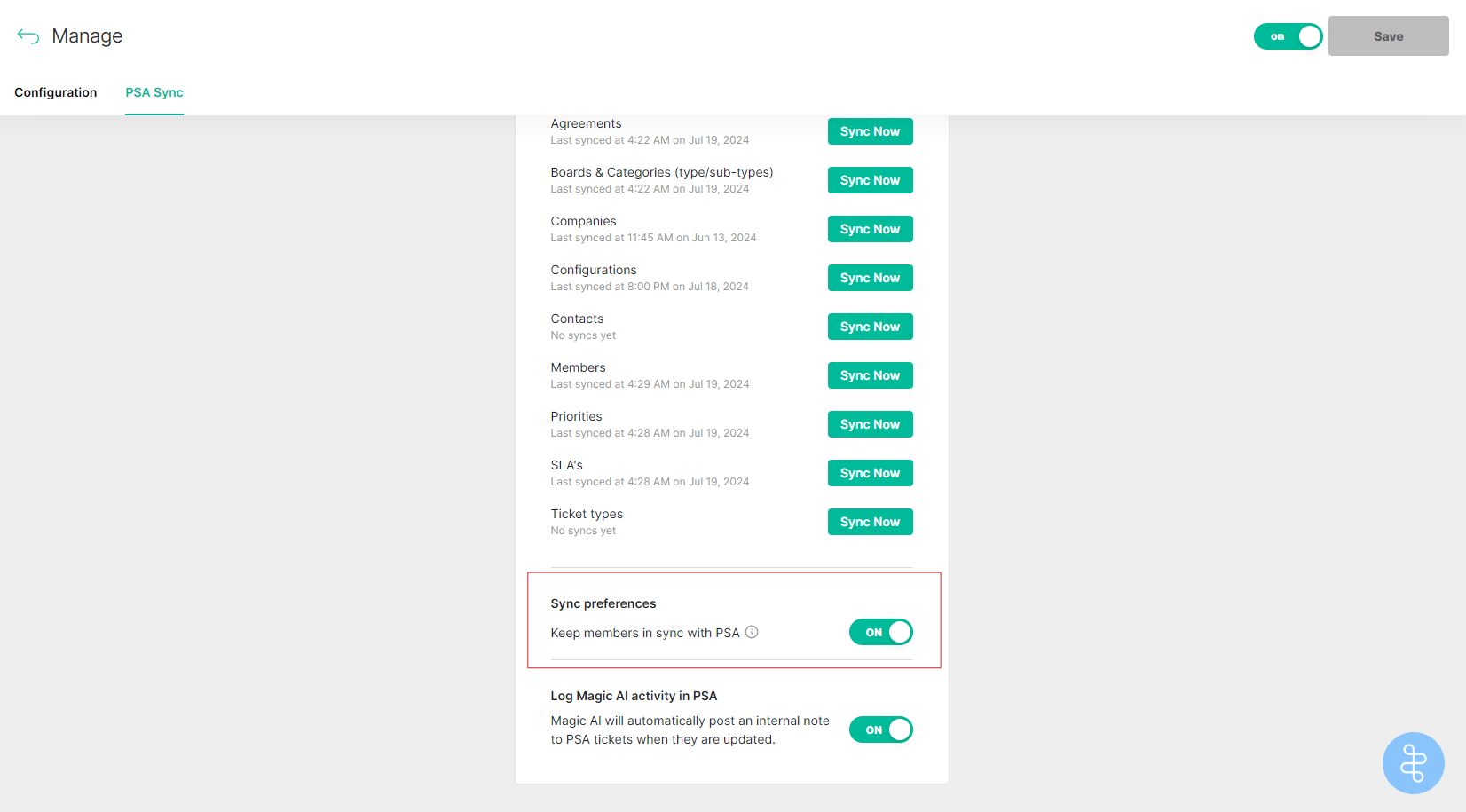
PSA Sync settings with the Auto-Add Members toggle