
What is ITGlue?
ITGlue is a documentation platform that allows for efficient storage and retrieval of all the documentation you need to help your MSP run better. With ITGlue, you have a way to take the information that may be cluttering up other systems and structure it properly inside ITGlue, to provide a more effective organization of information to your team. You can think of ITGlue like adding a flexible shelving system to a cluttered home office. By organizing and labeling the shelves in a logical way, you’re improving efficiency. The ITGlue integration lets you get information of the configuration and attachments in the chat platform.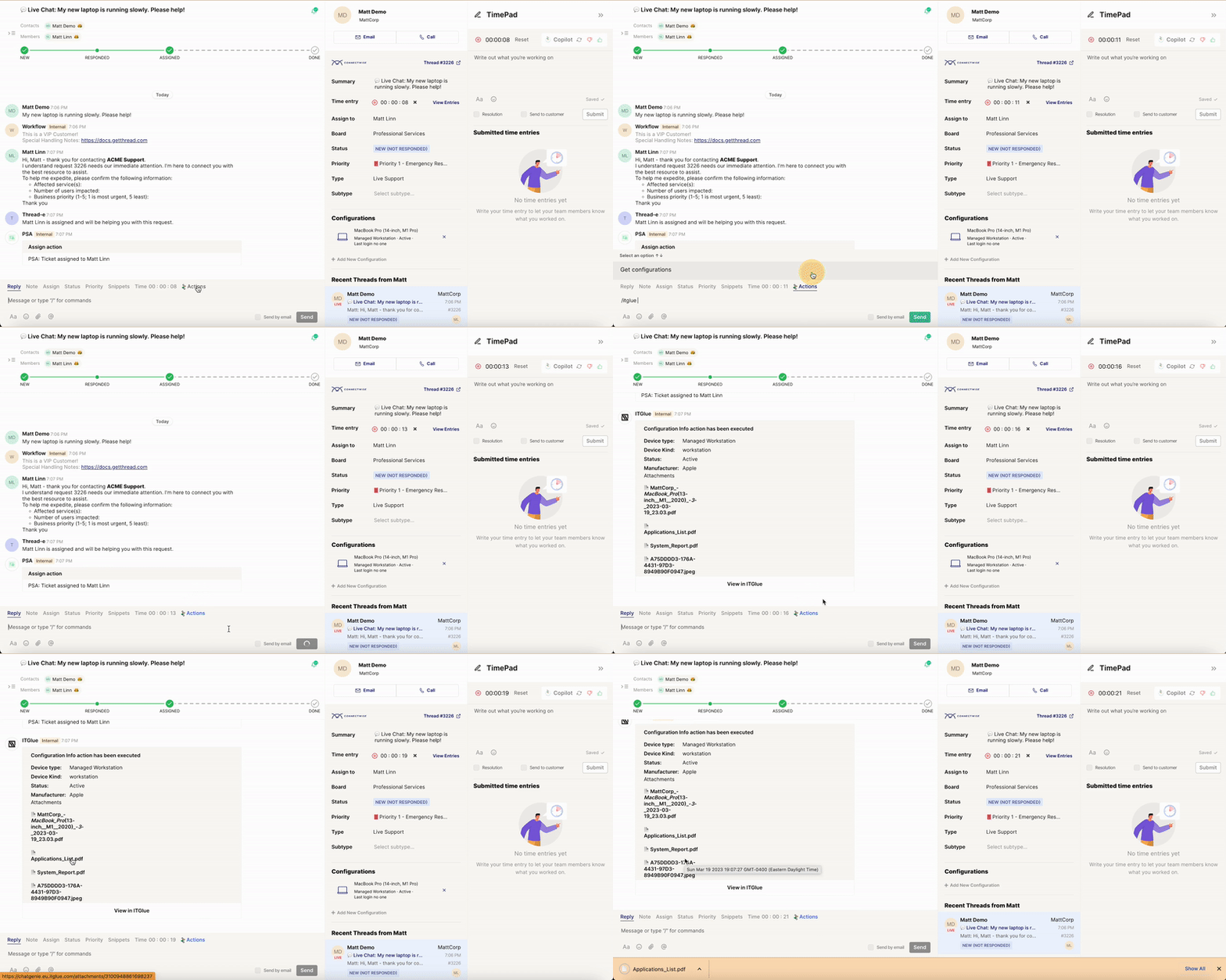
How do I set up the ITGlue integration?
Open Thread Admin Panel. Tap on Integrations sections and click on ITGlue option to configure it. Admin Panel
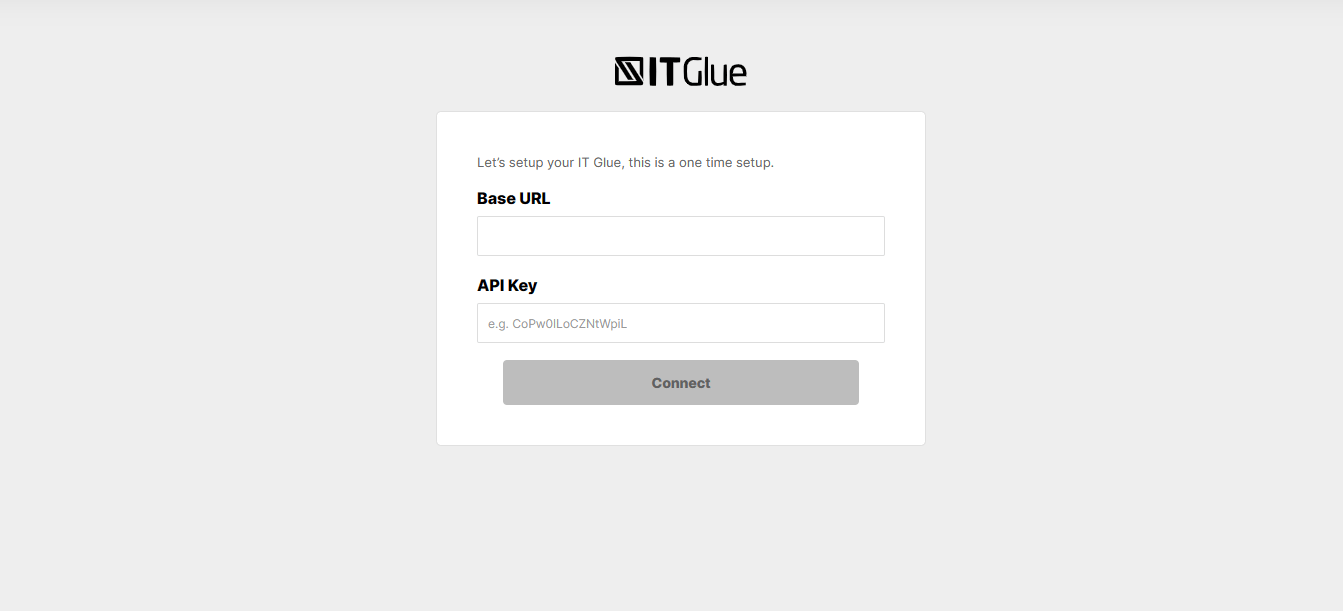
You’ll need 2 things to configure ITGlue:
1. Base URL: If you are a partner with an account in Europe data center the base URL is https://api.eu.itglue.com/ If you are a partner with an account in Australia data center the base URL would be https://api.au.itglue.com/. Otherwise, it is https://api.itglue.com/.
2. API Key: This is the code generated in ITGlue. See next section for details. Once you’ve filled out these fields, click connect.
Admin Panel
You’ll need 2 things to configure ITGlue:
1. Base URL: If you are a partner with an account in Europe data center the base URL is https://api.eu.itglue.com/ If you are a partner with an account in Australia data center the base URL would be https://api.au.itglue.com/. Otherwise, it is https://api.itglue.com/.
2. API Key: This is the code generated in ITGlue. See next section for details. Once you’ve filled out these fields, click connect.
How do I get an API key?
In IT Glue, click Account -> Settings -> API Keys. There you can generate a custom APi key.
You must haveAdministratoruser credentials for IT Glue account.