> ## Documentation Index
> Fetch the complete documentation index at: https://helpdocs.getthread.com/llms.txt
> Use this file to discover all available pages before exploring further.
# Members Tab: PSA-Synced Users, Roles, and Notifications
> Manage PSA-synced members in Thread: control Active, Pending, and Deleted states, assign Admin or Team Admin roles, and configure auto-add member sync.
## Members
The members tab shows all of the members synced from your PSA
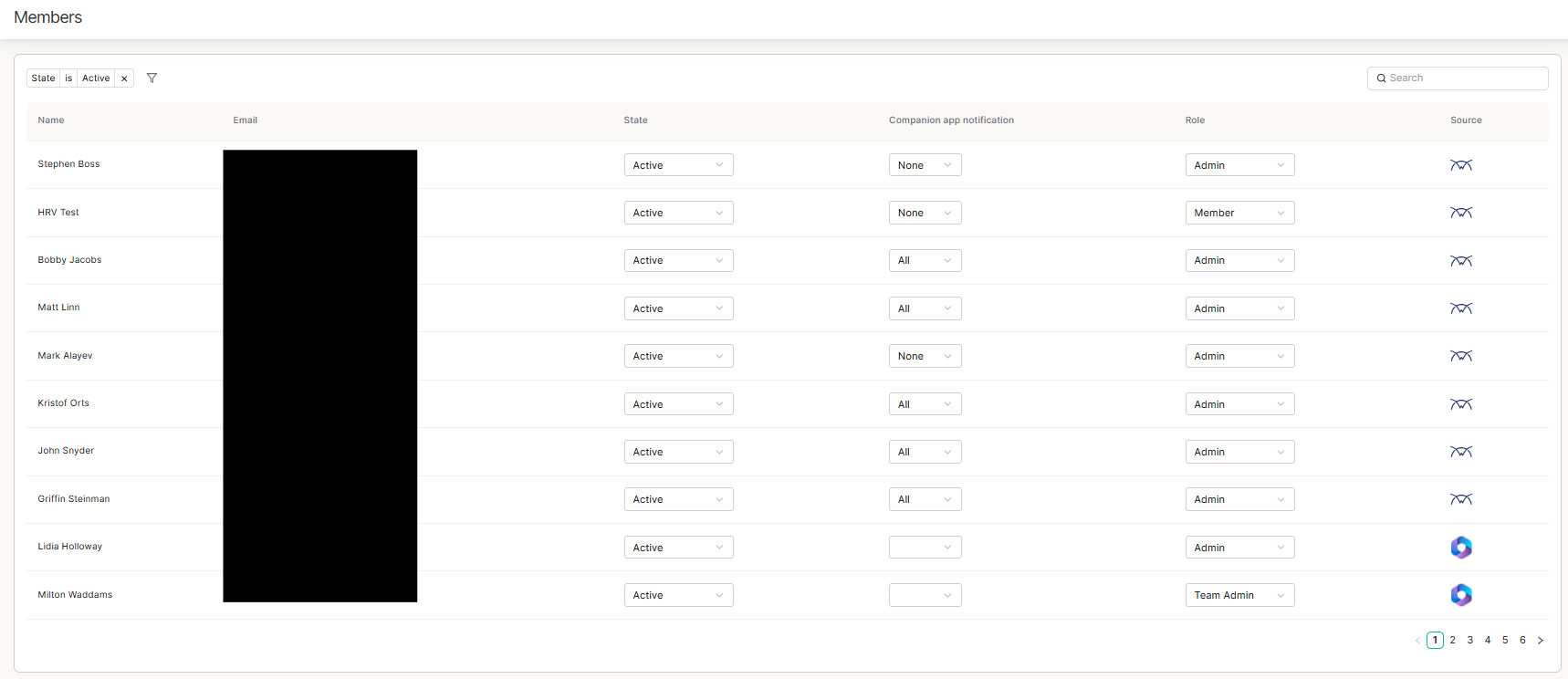 These members can be in 3 different states:
**Active** - These are the members that will have access to thread and have active accounts
**Pending** - These are members that are typically newly synced members and have not yet been set to active
**Deleted** - These are members that you have deleted
Each member also has 3 role options:
Admin - Workspace admins are able to access the admin panel and inbox
Team Admin - Full details here - [https://docs.getthread.com/inbox/team-admin-role](/inbox/team-admin-role)
Member - Workspace members are only able to access inbox
Notifications:
You are also able to change each members notification settings here. For more info on that, please see this doc
### Auto-Add Members
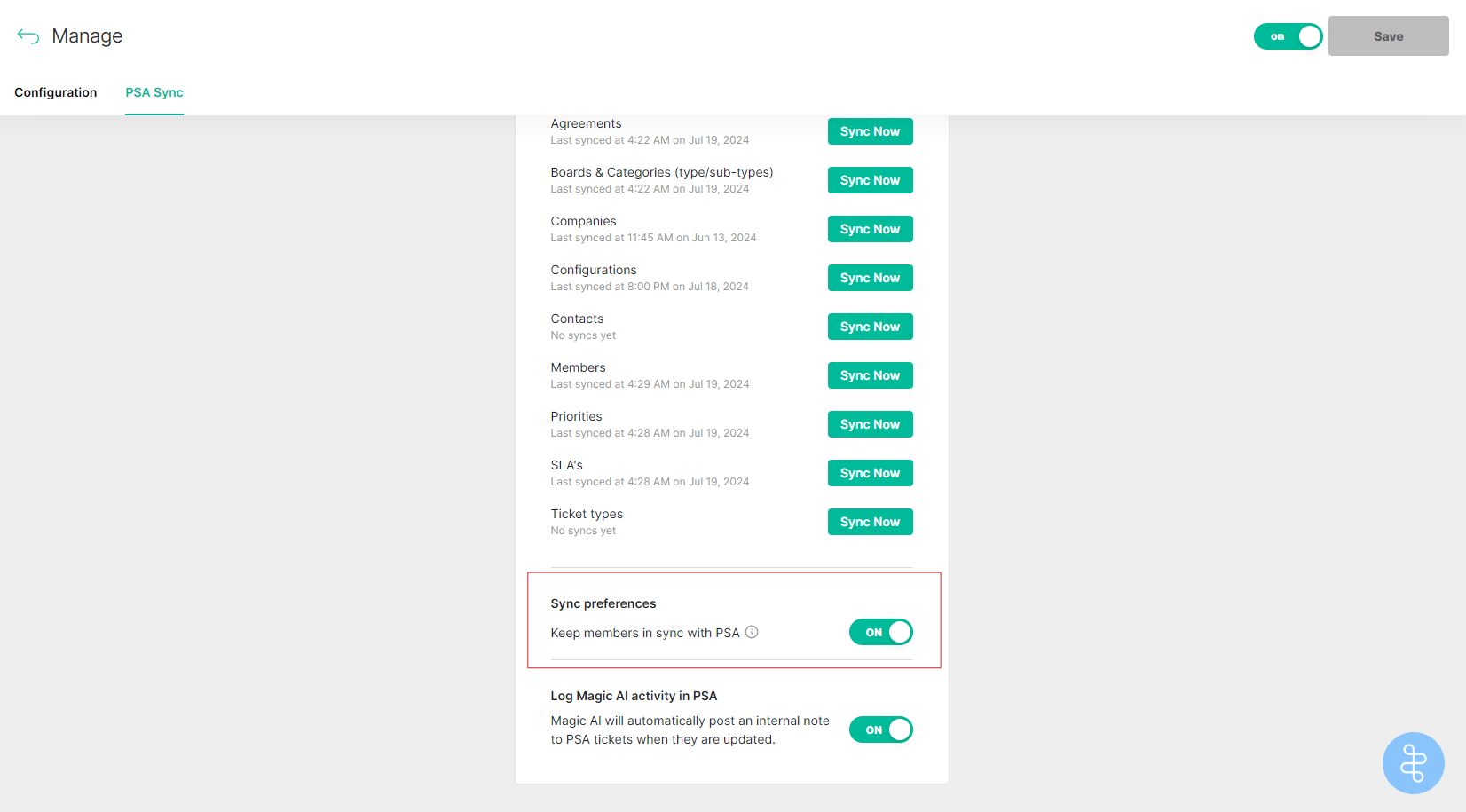
By default, thread syncs new members added to the PSA every 24 hours (sync occurs at 3 AM EST).
If you have this toggle **enabled**, all new members that are synced will automatically be set to the ACTIVE state.
If you have this toggle **disabled**, all new members will automatically be set to the PENDING state.
This setting is located in the Integrations tab in the admin panel. Go to [Integrations -> PSA -> PSA Sync](https://admin.getthread.com/dashboard/integrations/connectwise/sync)
These members can be in 3 different states:
**Active** - These are the members that will have access to thread and have active accounts
**Pending** - These are members that are typically newly synced members and have not yet been set to active
**Deleted** - These are members that you have deleted
Each member also has 3 role options:
Admin - Workspace admins are able to access the admin panel and inbox
Team Admin - Full details here - [https://docs.getthread.com/inbox/team-admin-role](/inbox/team-admin-role)
Member - Workspace members are only able to access inbox
Notifications:
You are also able to change each members notification settings here. For more info on that, please see this doc
### Auto-Add Members
By default, thread syncs new members added to the PSA every 24 hours (sync occurs at 3 AM EST).
If you have this toggle **enabled**, all new members that are synced will automatically be set to the ACTIVE state.
If you have this toggle **disabled**, all new members will automatically be set to the PENDING state.
This setting is located in the Integrations tab in the admin panel. Go to [Integrations -> PSA -> PSA Sync](https://admin.getthread.com/dashboard/integrations/connectwise/sync)
 ## Related topics
- [Set Up the ConnectWise PSA Ticketing Integration](/integrations/creating-a-connect-wise-manage-api-user.md)
- [Managing Members in Thread Admin](/inbox/members-management.md)
- [How Notifications Work for your Team](/notifications/how-will-notifications-work-internally.md)
## Related topics
- [Set Up the ConnectWise PSA Ticketing Integration](/integrations/creating-a-connect-wise-manage-api-user.md)
- [Managing Members in Thread Admin](/inbox/members-management.md)
- [How Notifications Work for your Team](/notifications/how-will-notifications-work-internally.md)